
DIY Hardware Security Key (RP2350 Zero CM)
 11 min read
Table of Contents
Intro
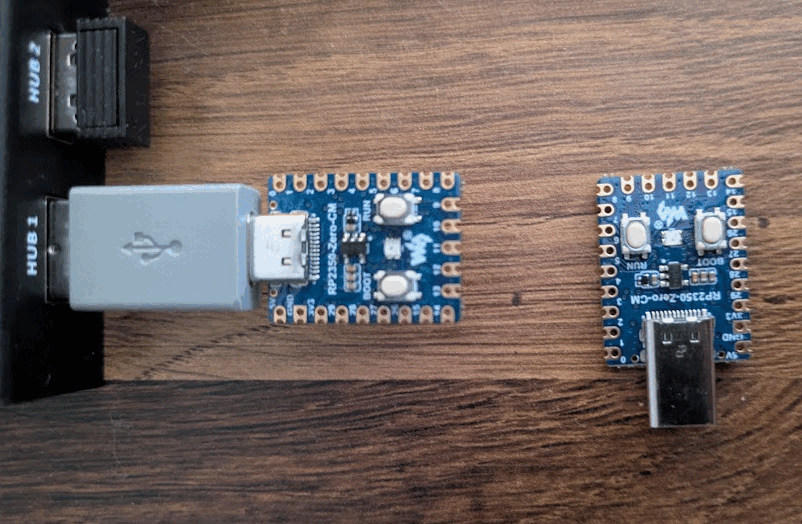
I've recently got my hands on 2 x RP2350 Zero CM boards, and decided to make some security keys out of them.
They are perfect for this project since they support:
- Secure boot - protects against running unauthorized firmware by checking signature
- Hardware TRNG - for key generation
- Glitch detectors — catch voltage and clock attacks on the boot check
- RS-Key firmware
- They usually go around 3-5$
Firmware - RS-Key
First we need to flash the firmware, and there are two I find viable:
- pico-fido from https://picokeys.com
- RS-Key from https://github.com/TheMaxMur/RS-Key
I went with RS-Key because it's specifically developed for RP2350, and runs FIDO2, OpenPGP, PIV and OATH from a single firmware image. pico-fido is FIDO only. OpenPGP and PIV are separate firmwares (pico-openpgp, pico-hsm), so you can flash only one.
Flashing
Go to the RS-Key release page at: https://github.com/TheMaxMur/RS-Key/releases and grab a rs-key-v0.4.10-2mb.uf2 firmware file (or whatever current version is).
Pay attention to which file you grab. The plain RP2350-Zero has 4MB of flash and takes rs-key-v0.4.10-default.uf2, but the Zero-CM has 2MB and needs the 2mb build.
~/skey
❯ wget https://github.com/TheMaxMur/RS-Key/releases/download/v0.4.10/rs-key-v0.4.10-2mb.uf2

~/skey
❯ echo "ec3c59d901b7c4cefd5a42b9eafaf5318590969e7abb83fff23dae49dd394fc3 rs-key-v0.4.10-2mb.uf2" | sha256sum -c
rs-key-v0.4.10-2mb.uf2: OK
Next thing you want to do is to properly insert RPi in boot mode, and to do so you want to hold button labeled as BOOT while plugging in the USB. It should show up in lsusb with boot mode.
~/skey
❯ lsusb
Bus 001 Device 001: ID 1d6b:0002 Linux Foundation 2.0 root hub
...
Bus 003 Device 017: ID 2e8a:000f Raspberry Pi RP2350 Boot
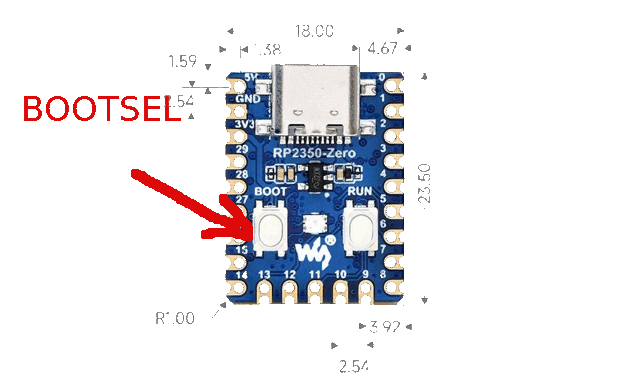
Flashing firmware is pretty straightforward, all you have to do is a simple copy-paste. Check where the RP2350 is mounted and copy rs-key firmware file into it.
~/skey
❯ mount | grep RP
/dev/sda1 on /run/media/strah/RP2350 type vfat (rw,nosuid,nodev,noexec,noatime,uid=1000,gid=100,fmask=0022,dmask=0022,codepage=437,iocharset=iso8859-1,shortname=mixed,showexec,utf8,flush,errors=remount-ro,uhelper=udisks2)

~/skey
❯ cp rs-key-v0.4.10-2mb.uf2 /run/media/strah/RP2350/

~/skey
❯ lsusb
Bus 001 Device 001: ID 1d6b:0002 Linux Foundation 2.0 root hub
Bus 003 Device 018: ID 1209:0001 Generic pid.codes Test PID

~/skey
❯ lsusb -d 1209:0001 -v 2>/dev/null | grep -E 'iProduct|iManufacturer'
iManufacturer           1 RS-Key
iProduct                2 RS-Key Security Key
And that's it, key is now fully functional.
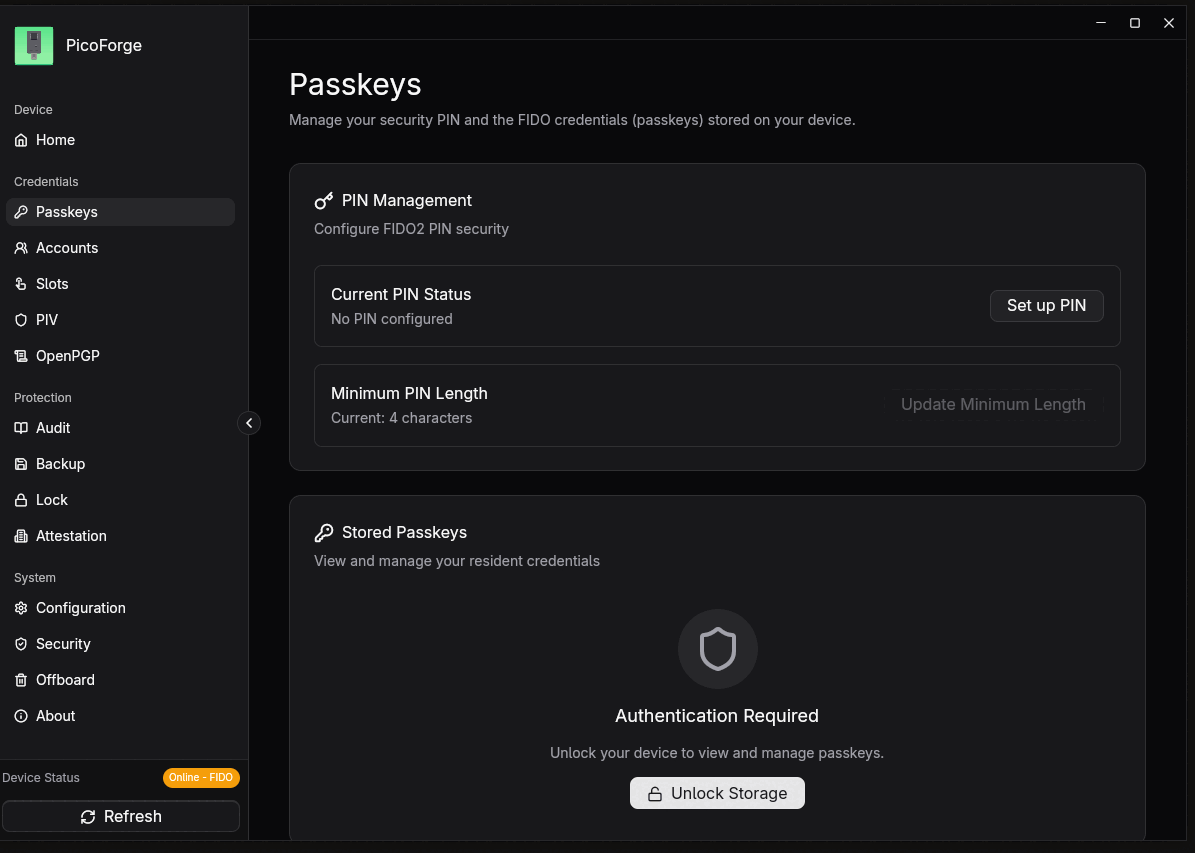
There's also a graphical interface you can use if that's your preference, it's called Pico Forge, and there's a flatpak for it at flathub: https://flathub.org/en/apps/in.suyogtandel.picoforge
Usage
Setting the FIDO PIN
Before you can store any credentials on the key you need to set a FIDO PIN. Without it the key will refuse to create resident credentials.
You need fido2-token from libfido2 for this. First find the device:
~/skey
❯ fido2-token -L
/dev/hidraw10: vendor=0x1209, product=0x0001 (RS-Key RS-Key Security Key)
Then set the PIN on it:
~/skey
❯ fido2-token -S /dev/hidraw10
Enter new PIN for /dev/hidraw10:
Enter the same PIN again:
You can also do it from Pico Forge under Passkeys, it's the same PIN.
To check what the key supports and how many tries you have left:
~/skey
❯ fido2-token -I /dev/hidraw10
version strings: U2F_V2, FIDO_2_0, FIDO_2_1, FIDO_2_3
algorithms: es256 (public-key), es384 (public-key), unknown (public-key), eddsa (public-key)
options: noep, rk, up, noalwaysUv, credMgmt, authnrCfg, clientPin, largeBlobs, ...
remaining rk(s): 256
minpinlen: 4
maxpinlen: 63
pin retries: 8
remaining rk(s) is how many resident credentials fit, 256 in total on this build.
pin retries counts down on wrong PINs and the key locks at zero.
SSH keys
Now we put an SSH key on the board. The private half is generated inside the key and stays there, and it's stored on the key itself so you can plug it into any machine and pull it back down.
~/.ssh
❯ ssh-keygen -t ed25519-sk -O resident -O application=ssh:pico-key-1 -f ~/.ssh/pico-key-1
Generating public/private ed25519-sk key pair.
You may need to touch your authenticator to authorize key generation.
Enter PIN for authenticator:
You may need to touch your authenticator again to authorize key generation.
Enter passphrase for "/home/strah/.ssh/pico-key-1" (empty for no passphrase):
Enter same passphrase again:
Your identification has been saved in /home/strah/.ssh/pico-key-1
Your public key has been saved in /home/strah/.ssh/pico-key-1.pub
PIN, then touch the BOOT button on the board.
-O resident stores the credential on the key itself.
-O application names it on the device and sets the default filename when you download it.
Install it and use it:
~/.ssh
❯ ssh-copy-id -i ~/.ssh/pico-key-1.pub root@host

~/.ssh
❯ ssh -i ~/.ssh/pico-key-1 root@host
Touch to log in.
To get the key on another machine, plug the pico key in it and do the following:
~/.ssh
❯ ssh-keygen -K
PIN, touch, and it writes id_ed25519_sk_rk_pico-key-1 into the directory you run it
from, so run it in ~/.ssh.
GPG
The card ships blank, so first look at what's on it:
[nix-shell:~/skey]$ gpg --card-status
Reader ...........: 1209:0001:rs-key-0001:0
Application ID ...: D276000124010000000642XXXXXX0000
Application type .: OpenPGP
Version ..........: 3.4
Serial number ....: XXXXXXXX
Key attributes ...: rsa2048 rsa2048 rsa2048
PIN retry counter : 3 0 3
UIF setting ......: Sign=off Decrypt=off Auth=off
Signature key ....: [none]
Encryption key....: [none]
Authentication key: [none]
Default PINs are 123456 for the user PIN and 12345678 for the admin PIN.
The three slots default to rsa2048. My subkeys are ed25519 and cv25519, so the
slots have to be switched over before the card will take them.
[nix-shell:~/skey]$ gpg --edit-card

gpg/card> admin
Admin commands are allowed

gpg/card> key-attr
Changing card key attribute for: Signature key
Please select what kind of key you want:
   (1) RSA
   (2) ECC
Your selection? 2
Please select which elliptic curve you want:
   (1) Curve 25519 *default*
   (4) NIST P-384
   (6) Brainpool P-256
Your selection? 1
The card will now be re-configured to generate a key of type: ed25519
It asks three times, once per slot: Signature, Encryption, Authentication.
Answer 2 then 1 for all three.
Check it:
[nix-shell:~/skey]$ gpg --card-status
Key attributes ...: ed25519 cv25519 ed25519
Add Subkeys
You cannot copy or dump a key off the card once it is written, so back the subkeys up first. You need that backup to put the same subkeys on a second key, and to recover if the card dies.
[nix-shell:~/skey]$ gpg --export-secret-subkeys --armor EA4D5A2BA4E2F5428546B051C062627FC5244F91 > ./subkeys-backup.asc

[nix-shell:~/skey]$ gpg --list-packets ./subkeys-backup.asc | grep -c "secret sub key"
2
Now move them onto the card. key 1 selects the signing subkey, keytocard writes it,
then key 1 again to deselect before picking the encryption one.
[nix-shell:~/skey]$ gpg --edit-key EA4D5A2BA4E2F5428546B051C062627FC5244F91

Secret subkeys are available.

pub  ed25519/C062627FC5244F91
     created: 2026-09-02  expires: 2036-08-30  usage: C
     trust: ultimate      validity: ultimate
ssb  ed25519/6A2383AC25145528
     created: 2026-09-02  expires: 2036-08-30  usage: S
ssb  cv25519/0378AD4AB3B013F5
     created: 2026-09-02  expires: 2036-08-30  usage: E

gpg> key 1

gpg> keytocard
Please select where to store the key:
   (1) Signature key
   (3) Authentication key
Your selection? 1

Note: the local copy of the secret key will only be deleted with "save".

gpg> key 1

gpg> key 2

gpg> keytocard
Please select where to store the key:
   (2) Encryption key
Your selection? 2

Note: the local copy of the secret key will only be deleted with "save".

gpg> save
The > after ssb means the key is on the card now:
[nix-shell:~/skey]$ gpg -K
/home/strah/.gnupg/pubring.kbx
---------------------------------
sec#  ed25519 2026-09-02 [C] [expires: 2036-08-30]
      EA4D5A2BA4E2F5428546B051C062627FC5244F91
uid           [ultimate] strah <[email protected]>
ssb>  ed25519 2026-09-02 [S] [expires: 2036-08-30]
ssb>  cv25519 2026-09-02 [E] [expires: 2036-08-30]
And the card lists them, with card-no pointing at this key:
[nix-shell:~/skey]$ gpg --card-status
Key attributes ...: ed25519 cv25519 ed25519
Signature key ....: EF46 1765 F00E E45F D3A2  CF1E 6A23 83AC 2514 5528
      created ....: 2026-09-02 16:25:56
Encryption key....: F5A4 147F 5EC4 A8F0 4818  32DC 0378 AD4A B3B0 13F5
      created ....: 2026-09-02 16:26:39
Authentication key: [none]
ssb>  ed25519/6A2383AC25145528  created: 2026-09-02  expires: 2036-08-30
                                card-no: 0006 XXXXXXXX
ssb>  cv25519/0378AD4AB3B013F5  created: 2026-09-02  expires: 2036-08-30
                                card-no: 0006 XXXXXXXX
Sign something to see it work. It asks for the user PIN:
[nix-shell:~/skey]$ echo test | gpg --clearsign
-----BEGIN PGP SIGNED MESSAGE-----
Hash: SHA512

test
-----BEGIN PGP SIGNATURE-----
...
-----END PGP SIGNATURE-----
Change PIN
The card comes with 123456 as the user PIN and 12345678 as the admin PIN.
Change both.
[nix-shell:~/skey]$ gpg --edit-card

gpg/card> admin
Admin commands are allowed

gpg/card> passwd
gpg: OpenPGP card no. D276000124010000000642XXXXXX0000 detected

1 - change PIN
2 - unblock PIN
3 - change Admin PIN
4 - set the Reset Code
Q - quit

Your selection? 1
PIN changed.
1 is the user PIN, 3 is the admin PIN. The user PIN needs at least 6 characters
and the admin PIN at least 8. Letters and symbols work, it does not have to be digits.
Passkeys
The key also logs you into websites. GitHub supports passwordless login with it, so that is the one I set up here.
Go to Settings, Password and authentication, and under Passkeys pick Add passkey.

Firefox asks for the FIDO PIN, then a touch on the BOOT button.
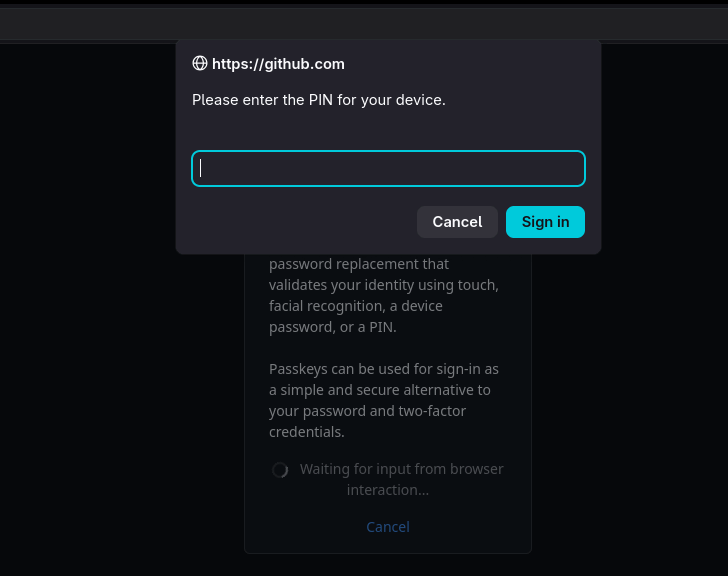
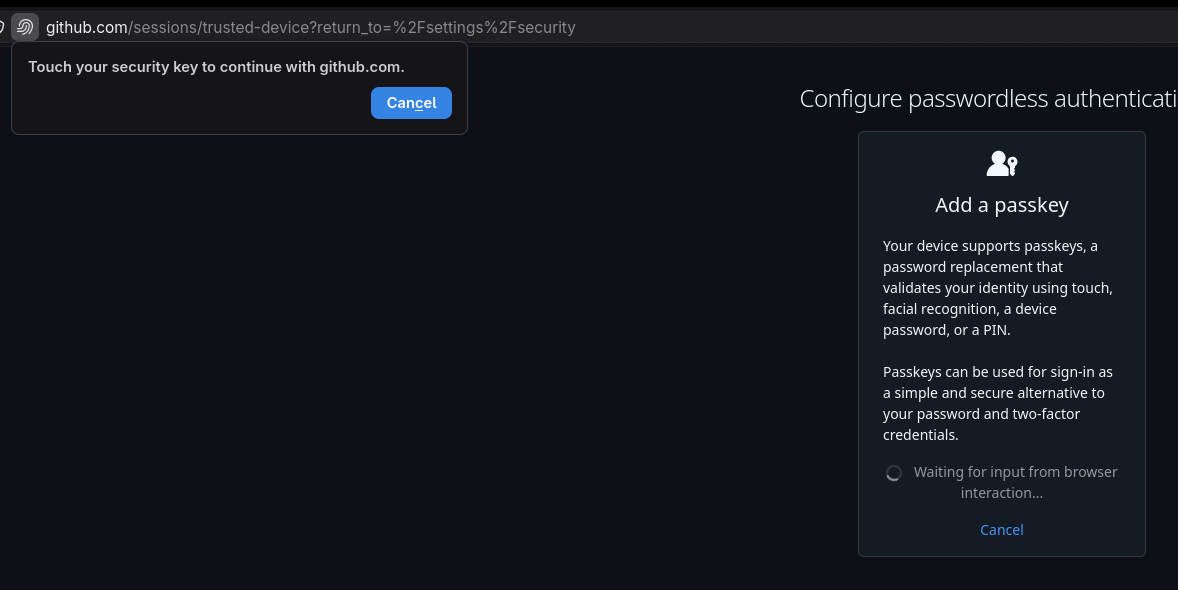
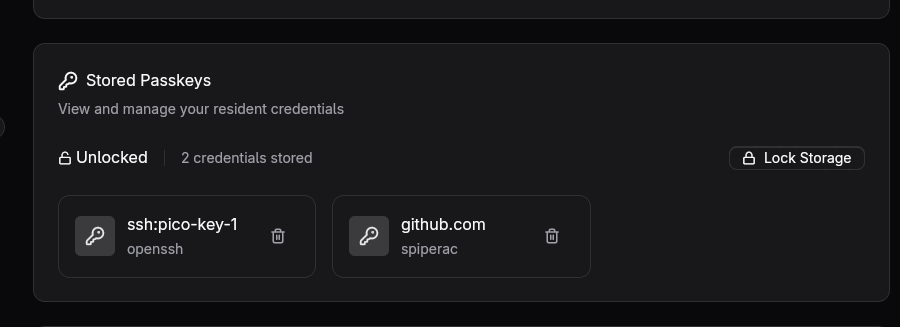
Finish by naming your key (name will be used in Github only). GitHub lists it and from now on the key alone logs you in.

Pico Forge shows it under Passkeys as a stored credential, next to the SSH one.
3D Printed Case
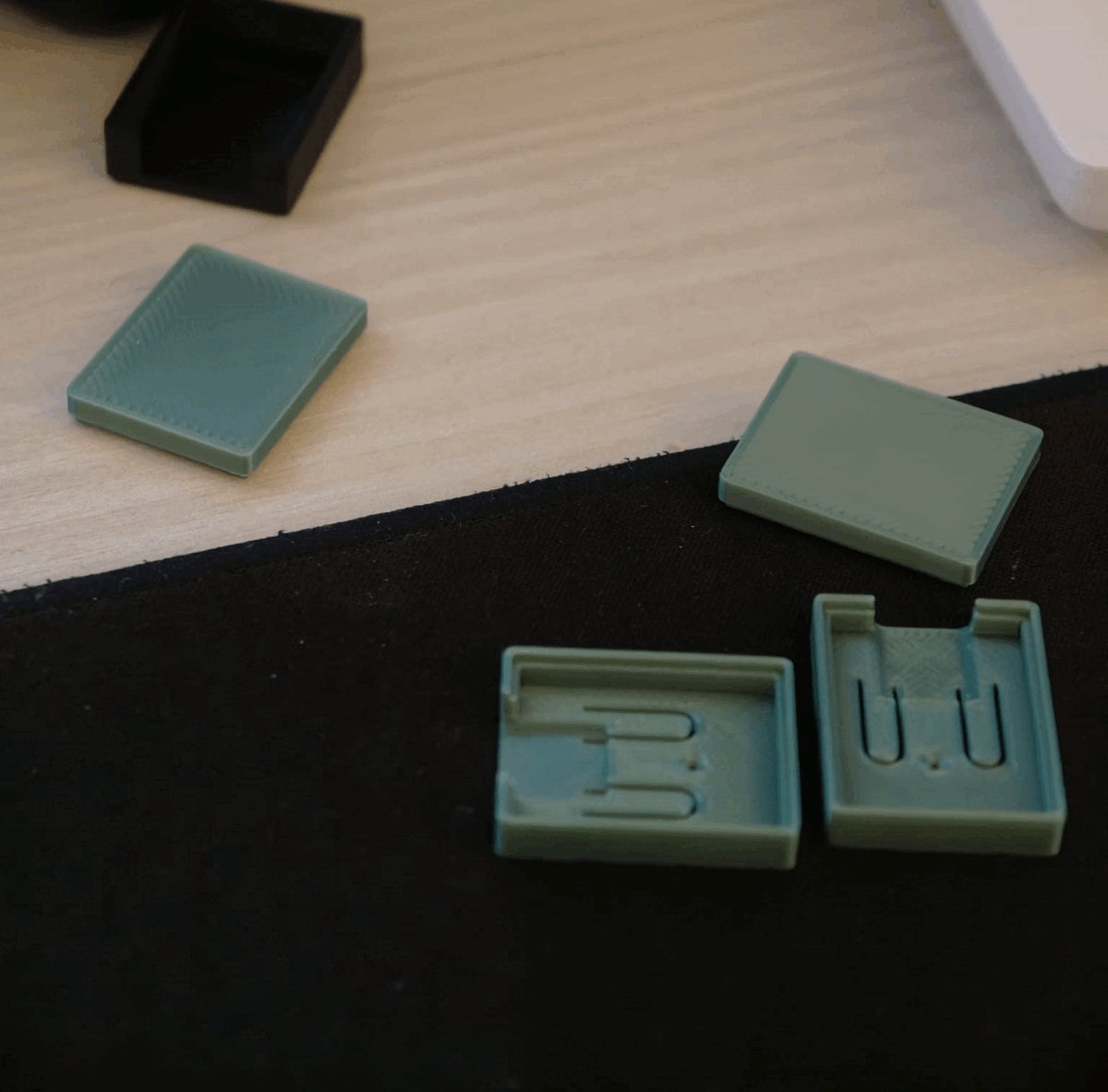
If you want, you can print a 3D case for your pico key. I found this one: https://makerworld.com/en/models/3167864-rp2350-zero-protective-case-compact-durable?from=search#profileId-3581074
And I will also test this one, since it looks like it's a better fit: https://makerworld.com/en/models/3269716-rp2350-zero-cm-4-piece-snap-fit-enclosure-independ?from=search#profileId-3707412
Appendix
The OpenPGP card has a User Interaction Flag, UIF, on each slot. With it on, the operation asks for a press on the board on top of the PIN. The card status shows the current state:
UIF setting ......: Sign=off Decrypt=off Auth=off
Turn it on for signing:
[nix-shell:~/skey]$ gpg --edit-card

gpg/card> admin

gpg/card> uif 1 on
1 is the signature slot, 2 decrypt, 3 authenticate. From then on every
signature needs a press on BOOT.
I suggest you have at least 2 keys.
Set up the second board the same way, so you have a spare in case you lose the
first one or it gets damaged. Generate a separate SSH key for it with
ssh:pico-key-2 as the application string, and put both public keys in
authorized_keys. For GPG, import the backup you exported and run keytocard
again with the second card plugged in, which puts the same subkeys on it.