
org-grimoire: a static site generator for GNU Emacs
 9 min read
Table of Contents
Here's a small ssg emacs package i made. I made this post for MELPA, specifically, as an example tutorial.
Summary
When you call org-grimoire-build, it does five things in order:
- Scan the content directory and parse every
.orgfile into a post plist - Copy static assets
- Render each post to HTML using your theme templates ( pages are page.html, posts are post.html etc. Depending on content/dir where they are)
- Generate index pages, tag pages, and feeds from the collected posts
- Write a
sitemap.xml
Once collect is done, every later step maps over that list of post plists.
Posts
Parsing is done with org-element, the Emacs built-in that returns
an AST of an org file.
(defun org-grimoire--extract-keyword (ast keyword)
  "Return the value of KEYWORD from the Org AST."
  (org-element-map ast 'keyword
    (lambda (el)
      (when (string= (org-element-property :key el) keyword)
        (org-element-property :value el)))
    nil t))
org-element-map walks the AST and calls the lambda for each node of
the given type. The trailing nil t means stop at the first match —
since #+TITLE only appears once per file, there is no point
continuing. This is used to pull out every frontmatter keyword: TITLE,
DATE, TAGS, DRAFT, LISTED.
The result of parsing a file is a plist:
(defun org-grimoire--collect-file (filepath source-dir output-dir)
  (with-temp-buffer
    (insert-file-contents filepath)
    (let* ((ast    (org-element-parse-buffer))
           (title  (org-grimoire--extract-keyword ast "TITLE"))
           (date   (org-grimoire--extract-keyword ast "DATE"))
           (type   (org-grimoire--infer-type filepath source-dir))
           (draft  (org-grimoire--normalize-boolean
                    (org-grimoire--extract-keyword ast "DRAFT")))
           (listed (org-grimoire--normalize-boolean
                    (org-grimoire--extract-keyword ast "LISTED") t))
           (tags   (org-grimoire--parse-tags
                    (org-grimoire--extract-keyword ast "TAGS")))
           (slug   (org-grimoire--file-to-slug filepath))
           (output (expand-file-name
                    (concat (file-name-sans-extension
                             (file-relative-name filepath source-dir))
                            ".html")
                    output-dir))
           (assets (org-grimoire--collect-assets ast filepath)))
      (list :title  title  :date   date   :type   type
            :draft  draft  :listed listed :tags   tags
            :slug   slug   :source filepath
            :output output :assets assets))))
The :type is inferred from the directory — a file in
content/post/ gets type post, a file in content/page/ gets type
page. That type is what determines which template gets used for
rendering. Add a content/note/ directory and write a note.html
template; grimoire picks it up automatically without any special
configuration.
The :assets field comes from the same AST walk that reads keywords —
it also walks every file: link and collects the paths:
(defun org-grimoire--collect-assets (ast source-file)
  (let ((source-dir (file-name-directory source-file)))
    (delq nil
          (org-element-map ast 'link
            (lambda (el)
              (when (string= (org-element-property :type el) "file")
                (let* ((path     (org-element-property :path el))
                       (absolute (expand-file-name path source-dir)))
                  (when (file-exists-p absolute)
                    absolute))))))))
This is how images work. If your org file has [[file:images/shot.png]],
that path gets collected here, and later during rendering it gets copied
to the output directory preserving the relative path. Tools like
org-download which drop images next to your org files work out of the
box because of this.
Templates
Templates are plain HTML files with {{key}} placeholders and
{{include filename.html}} for partials — that is the whole system.
(defun org-grimoire--render-template (template vars theme-dir)
  (let ((result (org-grimoire--process-includes template theme-dir)))
    (cl-loop for (key value) on vars by #'cddr do
      (setq result
            (replace-regexp-in-string
             (concat "{{" (substring (symbol-name key) 1) "}}")
             (or value "")
             result t t)))
    result))
Includes are processed first, then placeholders are replaced. The
substring call strips the leading colon from keyword symbols so
:title becomes the string "title" which matches ={{title}}.
Template resolution has a fallback chain. When looking for a template
file, grimoire checks your defined theme directory first, then falls back to
the built-in default theme. So if you only want to override post.html
and leave everything else alone, you only need that one file in your
theme directory.
(defun org-grimoire--resolve-theme-file (filename theme-dir)
  (let ((user-path    (when theme-dir
                        (expand-file-name filename theme-dir)))
        (default-path (expand-file-name
                       filename (org-grimoire--default-theme-dir))))
    (cond
     ((and user-path (file-exists-p user-path)) user-path)
     ((file-exists-p default-path) default-path))))
Rendering
The actual org-to-HTML conversion is just a wrapper around ox-html, the standard Emacs org exporter:
(defun org-grimoire--org-to-html (filepath)
  (with-temp-buffer
    (insert-file-contents filepath)
    (setq-local tab-width 8)
    (org-mode)
    (org-export-as 'html nil nil t
                   '(:with-toc nil
                     :with-title nil
                     :section-numbers nil))))
The fourth argument t is body-only, which tells the exporter to
return just the content without the surrounding <html> boilerplate —
grimoire handles the full page structure via the base template. TOC and
title are disabled here and handled by the template instead.
This also means syntax highlighting works exactly as it does in your
Emacs. The exporter produces spans with classes like org-keyword,
org-string, org-comment, matching whatever face you have active.
Your CSS then maps those classes to colors.
Rendering a post:
(defun org-grimoire--render-post (post)
  (let* ((theme-dir (org-grimoire--config-get :theme))
         (type      (or (plist-get post :type) "page"))
         (title     (or (plist-get post :title) ""))
         (template  (org-grimoire--load-template type theme-dir))
         (content   (org-grimoire--org-to-html (plist-get post :source)))
         (inner     (org-grimoire--render-template template
                      (list :title        title
                            :content      content
                            :date         (or (plist-get post :date) "")
                            :tags         (org-grimoire--tags-html
                                           (plist-get post :tags))
                            :reading-time (or (plist-get post :reading-time) "")
                            :slug         (plist-get post :slug))
                      theme-dir)))
    (org-grimoire--wrap-base inner title
                             (org-grimoire--post-site-url post))))
Load the type template, fill its placeholders with the post data, then
wrap the result in base.html. The output is the full HTML document
ready to write to disk.
Building
org-grimoire-build runs the whole pipeline. It has basic error
handling — a post that fails to render should not stop the whole build.
(defun org-grimoire-build (name)
  (interactive
   (list (completing-read "Site: "
                          (hash-table-keys org-grimoire--sites) nil t)))
  (org-grimoire--log-reset)
  (unless (gethash name org-grimoire--sites)
    (user-error "No site configured with name: %s" name))
  (let* ((org-grimoire--current-site name)
         (source    (org-grimoire--config-get :source))
         (output    (org-grimoire--config-get :output))
         (static    (org-grimoire--config-get :static))
         (theme-dir (org-grimoire--config-get :theme)))
    (org-grimoire--validate-config
     (gethash name org-grimoire--sites))
    (condition-case err
        (let ((posts (org-grimoire--collect source output)))
          (org-grimoire--copy-static static
                                     (expand-file-name "static" output))
          (org-grimoire--copy-theme-static output theme-dir)
          (org-grimoire--render-all posts)
          (org-grimoire--generate-index posts output)
          (org-grimoire--generate-tags posts output)
          (org-grimoire--generate-feeds posts output)
          (org-grimoire--generate-sitemap posts output)
          (org-grimoire--log-summary))
      (error
       (org-grimoire--log :error (error-message-string err))
       (org-grimoire--log-summary)))))
org-grimoire--current-site is bound with let rather than setq
so it unwinds cleanly even if the build errors out. The config is
accessed throughout the build via org-grimoire--config-get which
reads from that dynamic binding. All site state is kept in a hash table
keyed by name, so multiple sites can coexist.
Individual post errors are caught in org-grimoire--render-all and
logged as warnings — a broken image link in one post should not
prevent the rest of the site from building.
Making a site
The process from nothing to a running local site:
Initialize
M-x org-grimoire-init
Enter a site name, a base directory, and a URL. Grimoire creates the directory structure and prints a config snippet to add to your init file( it prints it in the Messages buffer, not sure if there's a better solution):
(org-grimoire-setup "my-site"
  :base-dir    "~/my-site"
  :base-url    "https://example.com"
  :site-title  "My Site"
  :description "A personal site")
There are additional custom options you can pass:
| Key | Required | Description |
|---|---|---|
:base-dir |
yes | Root directory of your site |
:base-url |
yes | Full URL including scheme (e.g. https://strah.net) |
:site-title |
yes | Global site name, used in feeds and navigation |
:description |
no | Site description, used in feeds and meta tags |
:author |
no | Author name, used in the Atom feed |
:theme |
no | Theme name under base-dir/themes/ |
:per-page |
no | Posts per index page, defaults to 10 |
:reading-time |
no | Set to t to enable reading time estimates |
The directory it creates looks like this:
my-site/
├── content/
│   ├── post/
│   │   └── my-first-post.org
│   └── page/
│       └── about.org
└── static/
Write something
Open my-first-post.org. It already has the minimal frontmatter filled
in. Write something, save it, remove the #+DRAFT: t line when ready.
Build
M-x org-grimoire-build
Select the site name. The build log goes to *Messages*. Output lands
in public_html/.
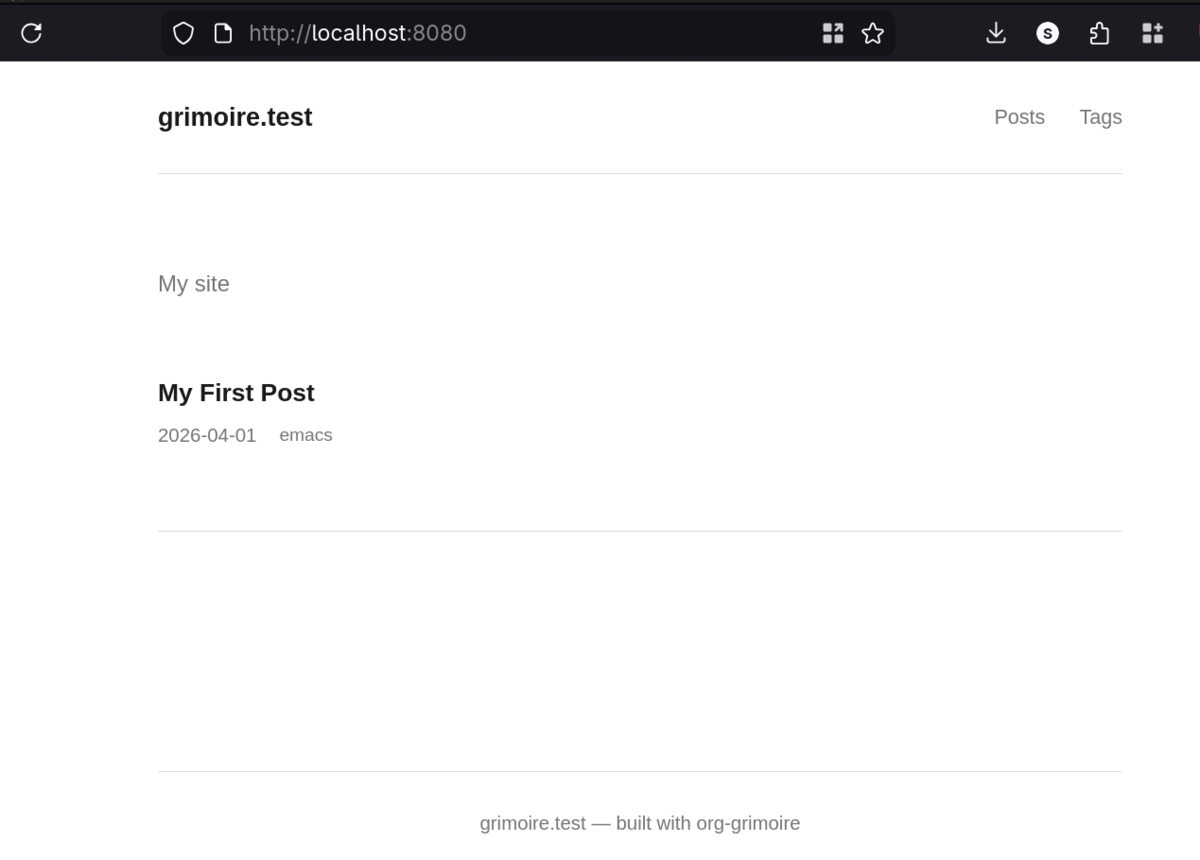
Preview locally
If you have simple-httpd installed:
M-x org-grimoire-serve
Otherwise Python with python -m http.server works fine:
cd ~/my-site/public_html && python3 -m http.server 8080
Create more content
M-x org-grimoire-new prompts for a site, a content type from your
existing directories, a title, and tags. It creates the file as a draft
and opens it. The slug is derived from the title automatically.
Customizing the theme
Copy the themes/default/ directory from the package into
my-site/themes/my-theme/ and point your config at it:
(org-grimoire-setup "my-site"
  :base-dir   "~/my-site"
  :base-url   "https://example.com"
  :site-title "My Site"
  :theme      "my-theme")
Now edit static/css/style.css and the HTML templates freely. The
fallback chain means you can delete any template you do not want to
override and grimoire will use the default version.
Installation
The package is available on MELPA:
(use-package org-grimoire
  :ensure t)
Or clone the repository directly:
git clone https://github.com/spiperac/org-grimoire
And then add to your init.el:
;; Load org-grimoire from local disk, replace path bellow
(add-to-list 'load-path "~/git/org-grimoire/")
(require 'org-grimoire)
The source is a single file. The default theme is in themes/default/.
No other files are required at runtime.
This site is the example of org-grimoire website!